Comprehensive Security
Xerox Device and Data Protection for Naples Businesses
- Xerox® Diamond Signature Partner
- Master Managed Print Services
- Authorized Xerox® Service Provider
- Veteran-owned
- Read our Google reviews
Xerox builds security into every layer of its office technology, from the device hardware and firmware to the network, the document workflow, and the data that moves through it. For Naples and Collier County businesses handling sensitive client records, financial documents, patient information, or proprietary business data, that security architecture is not a feature list. It is a compliance requirement and a business continuity obligation.
SWFL Office Solutions deploys and configures Xerox devices with the full scope of available security controls active, not default factory settings. As an authorized Xerox Diamond Signature Partner, our team ensures that the security capabilities built into your device are actually working for your organization from day one.
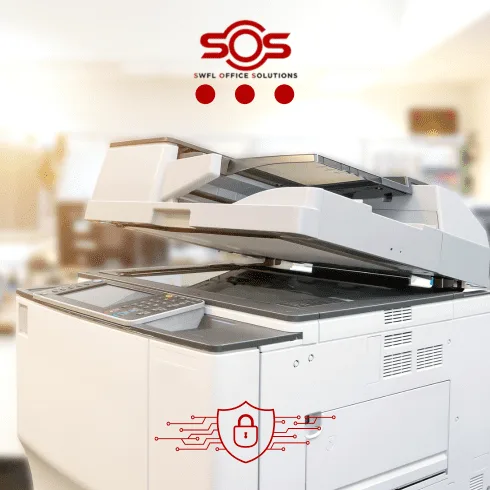
How Xerox Approaches Security - At the Device and Organizational Level
Device-Level Data Protection
Every Xerox multifunction device deployed through SWFL Office Solutions includes hardware and software-level data protection built directly into the device architecture.
Hard Drive Encryption
All data stored on the device's internal hard drive is protected by 256-bit AES encryption, compliant with the FIPS 140-2 standard. This applies to all data at rest: print jobs, scan jobs, copied documents, and fax transmissions stored on the device.
Xerox Image Overwrite
Xerox Image Overwrite automatically eliminates residual data from the device's hard drive after every job using a multi-pass scrub process. Rather than leaving recoverable data fragments after a print, copy, scan, or fax job, Image Overwrite renders that data unrecoverable. For HIPAA-covered healthcare practices and other regulated industries in Naples, this directly supports the technical safeguard requirements under applicable compliance frameworks.
Encrypted PDF for Scanning
Documents scanned through a Xerox device can be output as encrypted PDF files, protecting sensitive content in transit and at rest after it leaves the device
Access Control and Identity Management
Unauthorized access to a networked multifunction device is a real and underappreciated risk in most Naples office environments. Xerox devices support multiple layers of access control that can be configured to match your organization's security requirements.
User Authentication
PIN-based, card-based, or network authentication required before any device function is accessible
Role-based Access
Restrict which users can print, copy, scan, fax, or access the device address book based on defined roles
IP Filtering
Limit network access to the device to approved IP addresses only
Smart Card Integration
Proximity card or CAC card authentication for organizations with existing badge-based access systems
Function-level Login
Granular control over which device functions each user or role can access
Proactive Threat Monitoring and Vulnerability Management
Xerox's global Cyber Security organization maintains continuous monitoring of security clearinghouses and threat intelligence sources for vulnerabilities relevant to Xerox products and infrastructure. When new vulnerabilities are identified, Xerox provides firmware patches and security updates to keep deployed devices current.
This is the same organizational framework that governs Xerox's internal Security Operations Center, which provides 24/7 monitoring of Xerox information systems. The same security culture that protects Xerox's own infrastructure informs how Xerox products are built and maintained.
Naples businesses can receive security update notifications directly via RSS feed and stay current on Xerox security advisories at xerox.com/security.
Audit Log and Complete Device Visibility
Every interaction with a Xerox device. Every print job, copy, scan, fax, login attempt, and settings change is recorded in the device Audit Log. Administrators have complete visibility into who accessed the device, what function they used, when they used it, and the outcome of every interaction.
For organizations managing compliance requirements under HIPAA, COBIT, the Data Protection Act, or financial industry regulations, Audit Log provides the documentation trail that audits and incident investigations require. It also functions as an early warning system. unusual access patterns or unauthorized function use are visible before they become a larger problem.
Regulatory Compliance Across Industries
Xerox VersaLink and 9-Series devices are designed to conform to the security standards applicable across the industries SWFL Office Solutions serves in Naples and Collier County.
HIPAA
Healthcare practices, dental offices, medical billing
Common Criteria
Government and regulated enterprise environments
COBIT
Financial services and IT governance frameworks
Data Protection Act
Organizations handling personal data
PCI DSS
Businesses processing payment card information
FedRAMP
Federal and government-adjacent organizations
Device security controls can be configured to match any of these frameworks. SWFL Office Solutions configures devices to the compliance requirements of your specific industry as part of every managed print deployment.
Security for Healthcare Practices in Naples
Healthcare and dental practices in Naples face the most specific device-level compliance requirements of any industry we serve. Under HIPAA's Security Rule, any device that stores, processes, or transmits protected health information is a regulated component of your compliance posture.
SWFL Office Solutions deploys Xerox devices for healthcare clients with Image Overwrite, hard drive encryption, user authentication, and Audit Log configured as standard, and executes Business Associate Agreements as part of every healthcare engagement.
Frequently Asked Questions
Every Xerox device we deploy is configured with hard drive encryption, Xerox Image Overwrite, user authentication, and Audit Log as a baseline. Additional controls including IP filtering, role-based access, smart card integration, and encrypted PDF scanning are configured based on your organization's specific security requirements and compliance obligations.
Xerox's global Cyber Security organization continuously monitors threat intelligence sources for vulnerabilities affecting Xerox products. When vulnerabilities are identified, firmware patches and security updates are issued to keep deployed devices current. Naples businesses can subscribe to Xerox security update notifications via RSS feed at xerox.com/security.
Yes. Xerox Image Overwrite, hard drive encryption, user authentication, and Audit Log directly support the technical safeguard requirements under HIPAA's Security Rule. SWFL Office Solutions also executes Business Associate Agreements as a standard part of every healthcare practice engagement, satisfying the administrative safeguard requirements for managed print providers with access to devices that process protected health information.
Xerox Image Overwrite is a built-in security feature that automatically overwrites residual data stored on a device's hard drive after each print, copy, scan, or fax job using a multi-pass scrub process. It ensures that data fragments from completed jobs cannot be recovered from the device's storage, a critical protection when devices are serviced, returned at end of lease, or retired from service.